Notes can be used to create lists within VoteBuilder.
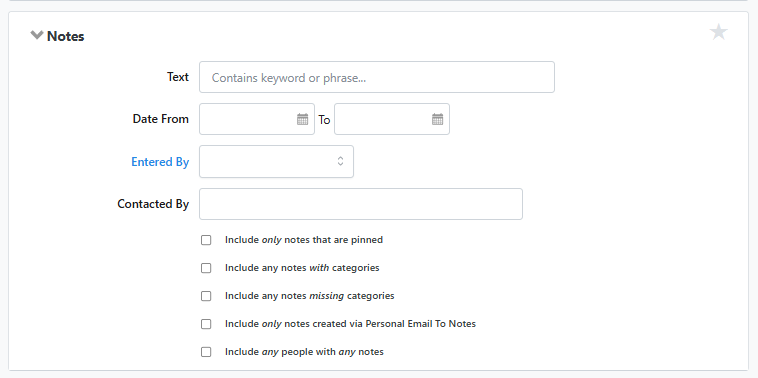
The usefulness of this depends on whether there was an effort to collect or import specific keywords for a set of voters and those keywords are used in this search criteria to build a list.
The same thing could be accomplished in a more structured way by creating a unique Activist Code and assigning that code to a set of voters. Examples of technique are to identify members of a club, caucus or DEC.
VoteBuilder does support wildcard-style matching in Notes searches, but only in a very specific and practical sense. The system treats a Notes search as a “contains” or partial-text match rather than a true wildcard syntax like you would see in SQL or Excel. In other words, you do not type an asterisk or question mark. Instead, you enter a fragment of text, and VoteBuilder will return all notes that contain that fragment anywhere in the note.
For example, if canvassers consistently enter notes like “Left literature,” “Left lit,” or “Left flyer,” searching for the word “Left” will return all of those variations. This behaves like an implicit wildcard on both sides of the word, similar to searching for Left even though you never type the asterisks. This makes Notes searches surprisingly flexible for real-world field data, which is often inconsistent in phrasing.